


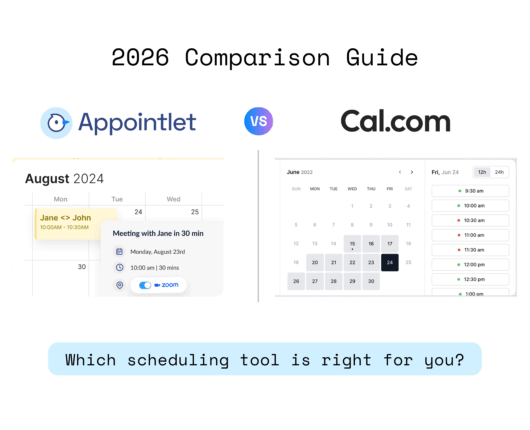
Here’s the quick answer:
Appointlet and Cal.com are both meeting-scheduling tools, but they’re built for different people. Cal.com is open-source and made for developers and teams who want deep customization, advanced routing, or self-hosting. Appointlet is a simpler hosted tool for people who want to share a booking link, get a cheaper paid plan, and reach a real human when something breaks.
Booking a meeting shouldn’t take six emails and a guess at someone’s time zone. That’s the whole reason scheduling tools exist, and both Appointlet and Cal.com do the core job well: you share a link, someone picks a slot, it lands on both calendars. The differences show up in what you pay, how much setup you’re willing to do, and who you are.
What are the key differences between Appointlet and Cal.com?
| Appointlet | Cal.com | |
|---|---|---|
| Best for | Solo users and small teams who want simple scheduling | Developers and teams who want customization or self-hosting |
| Free plan | Up to 5 members, 25 meetings/month | 1 user, unlimited meetings |
| Paid entry price | $9/member/month (billed annually) | $12/user/month (Teams, billed annually) |
| Open source | No (hosted only) | Yes (AGPL, self-hostable) |
| Support | Human support, including on the free plan | Docs and community; priority support on higher tiers |
| Team routing (round-robin, collective) | Yes | Yes, plus attribute-based routing |
| Enterprise depth (SSO, HIPAA, SCIM) | Limited | Yes (Organizations plan) |
How do Appointlet and Cal.com compare on price?
Appointlet’s paid Premium plan is $9 per member per month when billed annually, or $12 per user per month when billed month-to-month. Cal.com’s first paid tier, Teams, is $12 per user per month, billed annually, or $16 per user per month, billed month-to-month. If price per seat is what you care about, Appointlet is the cheaper option once you move past the free plan.
Cal.com then scales up further than Appointlet does. Its Organizations plan is $28 per user per month and adds things like SAML SSO, SCIM provisioning, sub-teams, and a compliance check for SOC 2, HIPAA, and ISO 27001.
Both have custom-priced Enterprise tiers. Appointlet doesn’t try to match that top end, which is fine if you don’t need it and a dealbreaker if you do.
Which free plan is better, Appointlet’s or Cal.com’s?
This one depends entirely on your situation, and it’s the clearest split between the two tools.
Cal.com’s free plan is for one person, but that one person gets almost everything: unlimited event types, unlimited calendar connections, unlimited meetings, payments through Stripe and PayPal, and 100+ integrations. For a solo user who books a lot, it’s hard to beat.
Appointlet’s free plan works the other way. It caps you at 25 meetings a month, but it allows up to 5 members and keeps the main integrations (Zoom, Microsoft Teams, Salesforce) available. So a small team that books lightly can share one free account, where Cal.com would push them to a paid Teams plan.
Put simply: if you’re one busy person, Cal.com’s free plan gives you more. If you’re a small group booking a handful of meetings a month, Appointlet’s free plan stretches further.
Which tool is easier to set up, Appointlet or Cal.com?
Cal.com is powerful and openly built for people who like to tinker. It has an API, embeddable scheduling components, webhooks, OAuth, and an AI phone agent (Cal.ai). If you want scheduling wired deep into your own product or workflow, that flexibility is the point.
Appointlet takes the narrower path on purpose.
It covers the features most people actually use: booking pages, calendar sync, reminders, round-robin and collective meetings, redirects after booking, and stops there.
There’s less to configure and less to learn, which is either exactly what you want or not enough, depending on the job.
Neither approach is wrong. More power means more setup. Less setup means fewer knobs to turn.
How do Appointlet and Cal.com compare on how they handle customer support?
Appointlet answers its own support tickets with real people, and does it on the free plan too. It’s a small team, so support isn’t gated behind an enterprise contract.
Cal.com leans on thorough documentation, its open-source community, and its developer resources, with priority Slack and account support arriving on the higher paid tiers. If you’re technical, that mix often works fine.
If you’d rather email a human and get a straight answer without a paid plan, Appointlet has the edge here.
Can you self-host Appointlet or Cal.com?
Cal.com, yes. Appointlet, no.
Cal.com is open-source under the AGPL license, so you can download the code from GitHub and run it on your own servers. That gives you full control of your data and the ability to modify the platform however you want. For teams with strict privacy requirements or dedicated engineering resources, that’s a genuine advantage.
Appointlet is a fully managed platform. You sign up, connect your calendar, and everything runs on their infrastructure. No servers to set up, no code to maintain, no security patches to stay on top of.
Which one makes more sense for you depends on who you are.
Self-hosting sounds like freedom, but it comes with real costs once you factor in server management, maintenance, and security work. If your team has the technical capacity and actually needs that level of control, Cal.com gives it to you. If you’d rather just have scheduling that works without any of that overhead, Appointlet is built for exactly that.
Who should choose Appointlet?
Appointlet fits you if you want scheduling that works out of the box, a cheaper per-seat price, a free plan that a few teammates can share, and human support when you need it. It’s aimed at solo professionals and small teams who value simplicity over configuration and don’t need SSO, HIPAA, or a codebase to modify.
Who should choose Cal.com?
Cal.com fits you if you’re a developer or a growing team that wants customization, an API to build on, advanced routing, or the option to self-host for data control. If your solo use is heavy, its free plan is genuinely generous. And if you need enterprise-grade security and compliance features, Cal.com goes places Appointlet doesn’t.
Which should you choose, Appointlet or Cal.com?
Appointlet is the better pick for small teams that want a shared free plan, a lower paid price, and real human support without the setup.
Cal.com is the better pick for developers, heavy solo users, and teams that need routing, compliance, or self-hosting.
Both let you try before you pay, so the low-risk move is to run your actual booking flow through each for a week and keep the one that gets out of your way.
Frequently asked questions
Is Appointlet or Cal.com cheaper?
Appointlet’s paid plan is cheaper per seat at $9/member/month billed annually, versus Cal.com’s Teams plan at $12/user/month. On free plans, it depends on use: Cal.com is unlimited for one user, while Appointlet allows up to 5 members but caps at 25 meetings a month.
Is Cal.com really open source?
Yes. Cal.com is open-source under the AGPL license and can be self-hosted from its public GitHub repository. Appointlet is a hosted service and can’t be self-hosted.
Does Appointlet have a free plan?
Yes, and it’s permanent. It supports up to 5 members and 25 meetings per month, and keeps core integrations like Zoom, Microsoft Teams, and Salesforce available. New accounts start with a 14-day trial of the paid Premium plan, then drop to free automatically.
Which is better for a small team?
For light booking, Appointlet’s free plan can cover up to 5 members on one account, which Cal.com’s single-user free plan can’t. For heavier team scheduling with advanced routing or compliance needs, Cal.com‘s paid tiers go deeper.
Can I move from Calendly to either one?
Yes. Appointlet is a common Calendly alternative and covers the same core scheduling flow at a lower price. Cal.com offers a one-click Calendly event import.
Last updated July 2026.
Pricing and features verified against appointlet.com/pricing and cal.com/pricing; both change over time, so check the live pages before deciding.