

The cruel joke of running a business is that you’re too busy to get organized, which keeps you busy, which means you never get organized.
You know how it goes.
You tell yourself this is the week you finally sort out your calendar, build that client intake system, or stop losing track of appointments.
But then Monday hits, and you’re back to putting out fires, answering the same emails you answered last week, and wondering where the day went.
You already know you need to get organized. You don’t need another article telling you why organization matters.
Instead, you need someone to acknowledge the fact that you have zero hours to spare, and then give you a plan that actually works within that constraint. We’re happy to be that someone.
7 low-lift ways to improve your small business’s organization
These seven tips are for people who are already stretched thin. They take minimal time upfront. They don’t require a “productivity system” or a color-coded spreadsheet. And they pay off constantly once they’re in place.
1. Stop organizing everything. Instead, pick one thing
The fastest way to fail at getting organized is to try to organize everything at once.
You wake up motivated on a Sunday, decide to overhaul your entire business, and by Tuesday, you’ve abandoned the project because it was too much and you have actual work to do.
The better approach: Pick the one area causing the most chaos. The thing that, if you fixed it, would make everything else feel a little more manageable.
For most service-based businesses, that one thing is scheduling. It touches everything: client communication, your calendar, your workload, your sanity. When scheduling is a mess, the whole operation feels like a mess. When scheduling runs smoothly, you suddenly have breathing room.
Some people call this the “one domino” principle. You don’t need to knock down every domino at once. You just need to find the one that, when it falls, knocks down a bunch of others.
So before you try to reorganize your entire business, identify the one thing causing you the most daily friction.
2. Audit where your time actually goes
You can’t organize what you don’t understand.
Most business owners have a vague sense that they’re “busy all the time,” but if you asked them to break down exactly where their hours go, they’d struggle. That’s a problem, because you can’t fix time leaks you haven’t identified.
A quick exercise: For one week (or even just one day if that’s all you can manage), track what you’re actually doing. Not what you planned to do. What you actually did.
You’ll probably notice some patterns:
- Email ping-pong: Endless back-and-forth threads that could’ve been one message (or no message at all)
- Rescheduling: Clients canceling, you rearranging, and everyone is confused about when things are happening
- Chasing people: Following up on invoices, confirmations, and documents you asked for three times already
- Recreating the wheel: Writing the same email from scratch every time, answering the same questions over and over
These are your targets. These are the things worth organizing. Not your desk drawer. Not your label maker collection. Not your CRM. The stuff that’s actually eating your time.
Once you see where the time goes, you’ll know where to focus.
3. Automate the repeatable stuff
Most business owners have things they do multiple times a week.
A good rule of thumb: If you do something more than twice a week, and it’s basically the same every time, automate it.
Your brain has better things to do than remember to send appointment reminders or type out confirmation emails. That’s computer work. Let computers do it.
Two obvious candidates for automation:
- Appointment reminders: These should go out automatically, 24 hours before (or whatever interval makes sense for your business). You shouldn’t be manually texting clients to confirm.
- Confirmation emails: When someone books with you, they should get an immediate confirmation. Not a confirmation that arrives when you happen to check your inbox.
This is exactly what scheduling tools like Appointlet are built for. The whole point is to automate the stuff you’d otherwise have to do manually, over and over, forever.
If you’re not using a scheduling tool yet, Appointlet handles all of this, scheduling, reminders, and confirmations, automatically. It takes about 5-10 minutes to set everything up, and then you don’t have to mess with these to-dos again.
You should only be doing things that actually require you. Everything else should happen without your involvement.
4. Create templates, not to-do lists
To-do lists are a trap.
Don’t get us wrong. They feel productive. There’s something satisfying about writing down everything you need to do. But to-do lists are endless. You finish one, and there’s another one tomorrow. And the next day. Forever.
Templates are the answer: Templates are reusable. You create them once, and they keep working for you.
Think about client emails. You probably answer the same five questions over and over. Write template responses instead. Copy, paste, personalize slightly, and send. You can store these templates in Google Drive, Notion, or anywhere else they’re easily accessible.
Same with intake forms, instead of asking clients the same questions every time they book, build a form that collects what you need upfront. And meeting prep? Create a checklist of what you need to do before each type of appointment. Follow it every time instead of trying to remember.
The goal is to stop recreating the wheel. Every time you write something from scratch that you’ve written before, you’re wasting time you don’t have.
So, build the template once, and use it forever.
5. Batch similar tasks together
Context switching is a productivity killer, and there’s actual science to back it up. Every time you move from one type of task to another, your brain needs time to adjust. Research suggests that it takes up to 23 minutes and 15 seconds to refocus after a task, and those transitions can add up.
The fix is batching: Group similar tasks together and do them in dedicated blocks.
All your scheduling, invoicing, and paperwork can happen in one chunk of time instead of being scattered throughout the day. You can check and respond to emails at set times, not every time your phone buzzes. Actual appointments and client-facing work get their own protected hours.
This applies to scheduling, too. Instead of being available whenever clients want to book, set specific appointment windows. Maybe you only take client calls on Tuesday and Thursday afternoons or only do consultations in the mornings.
When clients can book with you at any hour of any day, you’re setting yourself up for constant context switching. Setting boundaries on your availability gives you back control of your day.
6. Let clients do the work
Let’s say a potential client emails you asking for your availability. You check your calendar and send back three options. They respond a day later, saying none of those work. You send three more. They pick one. You send a confirmation. They ask to reschedule. You start over.
What a waste of time…especially when you’re already so short on it. And yet most service businesses do it constantly.
The fix is simple: Stop being the middleman in your own scheduling. Send clients a link or have them book directly from your website or booking page. Let them pick a time that works for both of you.
And this is actually better for your clients. Instead of waiting for you to reply to their email (which might take hours or days), they can book instantly. They see your real-time availability, pick what works, and get a confirmation immediately.
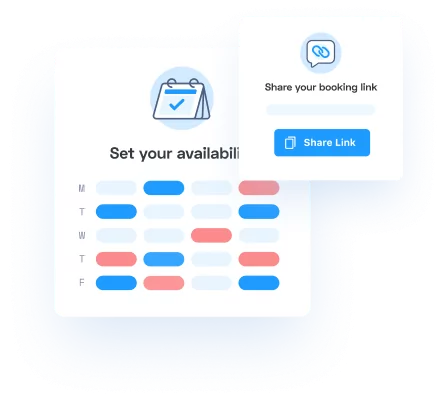
This is exactly what Appointlet does. You share your booking link or booking page, clients pick a time, and the appointment shows up on your calendar automatically, with intake forms, payments, meeting instructions, and event reminders all handled for you.
If you’re still manually coordinating every appointment over email, this one change will give you hours back every week.
7. Build a system once, then forget it
The real difference between organized people and disorganized people isn’t willpower or waking up at 5 AM.
The secret is systems: Systems and established processes allow you to offload decisions, automate activities, and get support from your team.
Disorganized people rely on their memory and motivation to keep things running. “I’ll remember to send that reminder.” “I’ll follow up tomorrow.” “I’ll block off time for admin… eventually.”
Organized people build systems that run without them. The reminder goes out automatically. The follow-up is triggered by the calendar. The admin time is blocked off in advance, every week, no decisions required.
For scheduling specifically, this means setting things up once and then not thinking about it:
- Set your availability: Define when you’re actually available for appointments. Once.
- Create your meeting types: Decide what kinds of appointments you take and how long they are. Decide if they require payments. And then, set them up.
- Turn on reminders: Automatic every time, so there’s no manual effort.
- Let it run: Stop micromanaging your calendar. The system handles it.
The goal isn’t to become someone who’s constantly organizing. The goal is to organize once, thoughtfully and intentionally, and then move on. Your scheduling should require about as much daily attention as your electricity bill. It just works in the background.
If you’re still making scheduling decisions every day, something’s wrong with your system. Fix the system, not your willpower.
The bottom line
Getting organized doesn’t require a massive overhaul or a free weekend you don’t have. It requires being strategic about where you focus.
Start with one thing. Automate anything you do repeatedly. Create templates so you stop reinventing the wheel. Batch your time so you’re not constantly switching gears. Let clients book themselves instead of playing email tag. And build a system that runs without you, so you can stop thinking about this stuff and get back to the work that actually matters.
And remember, the goal isn’t perfection. It’s less chaos. It’s a calendar that doesn’t stress you out and a business that doesn’t require you to remember everything all the time.
Ready to organize your scheduling?
Appointlet handles the booking, the reminders, and the back-and-forth, so you don’t have to. Setup is simple, and it’s free to start.