

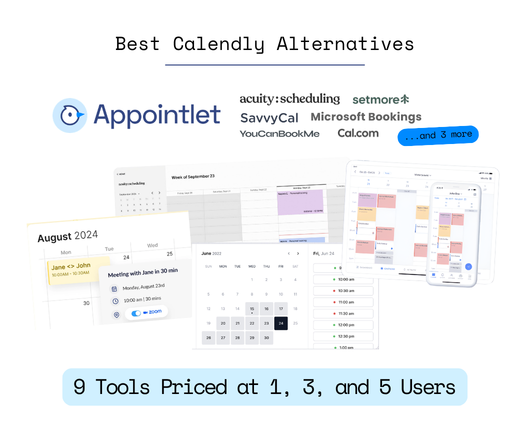
Quick answer: For most small businesses, Appointlet is the cheapest way to get a booking link that actually works for more than one person. Its free plan covers up to 5 members, and Premium is $9 per member per month, which is $45 a month for a five-person team against $80 on Calendly Teams. If you’re a one-person business and you never want a bill, Cal.com’s free plan is unlimited for a single user. If your staff count keeps climbing, Acuity charges one flat monthly price instead of per person, so it gets relatively cheaper the bigger you get.
You’re probably looking for a Calendly alternative not because you hate Calendly, but because you added a second person or wanted to take payment at booking, and the price went from nothing to a substantially huge amount.
This is what most comparison articles skip. They’ll list 12 tools and give you a starting price for each, which is useful right up until you have 3 people who all need a booking link and you end up having to pay per seat.
So we decided to price every tool here at one user, three users, and five users so you can make an informed decision as a small business owner.
What does Calendly actually cost a small business in 2026?
Calendly costs a small business between $0 and $960 a year, depending on how many people need a link and whether you need round robin.
The free plan gives you one active event type and one connected calendar, which is fine if you offer exactly one kind of meeting and keep one calendar. The moment you want a 15-minute intro call and a 60-minute paid session on the same page, you’re on Standard at $10 per seat per month billed annually, or $12 if you pay month to month. Team routing, round robin, and Salesforce sync live on Teams at $16 per seat per month billed annually, or $20 monthly. Calendly also added Standard Plus at $18 and Teams Plus at $24, which bundle its AI meeting tools.
If you run that against a real small business, the numbers add up really quickly. One person on Standard is $120 a year. Three people on Standard is $360. Five people who need round robin are on Teams, and that’s $960 a year before anyone has sent a single SMS reminder. Volume discounts exist, but they don’t start until seat 31, which no small business will ever reach.
Calendly’s per-seat model is a perfectly reasonable way to run a business. It’s just a model built for a sales team with a headcount budget, and it reads very differently when the person paying is also the person doing the appointments.
Which Calendly alternative fits your small business?
It depends on how many of you there are and what you need the booking link to do beyond picking a time.
| Your situation | Best pick | Why |
|---|---|---|
| A small team that needs more than one person on a free plan | Appointlet | Free plan covers up to 5 members, not 1 |
| Paid scheduling for a small team without per-seat pain | Appointlet | $9 per member, so five people cost $45 a month |
| One person who wants unlimited bookings for nothing | Cal.com | Free plan is unlimited for a single user |
| The lowest annual per-seat rate you can find | Setmore | $5 per user per month on annual billing |
| Staff count that keeps growing | Acuity Scheduling | Flat monthly price per plan, not per person |
| Never paying another subscription | TidyCal | One payment, yours permanently |
| A business already inside Microsoft 365 | Microsoft Bookings | Already included in what you pay |
| A business already inside Zoho | Zoho Bookings | $6 per staff member, wired into Zoho CRM |
| More calendars than people | YouCanBookMe | Priced per calendar rather than per head |
| A booking page that impresses clients | SavvyCal | Clients pick times against their own calendar |
How do Calendly alternatives compare on price and features?
They compare best when you look at what the free plan actually allows, because that’s where most small businesses will live for the first year.
All monthly prices below reflect annual billing, which is where these tools are cheapest. Plans change, so check the live pricing pages before you commit to anything.
| Feature | Appointlet | Calendly | Cal.com | Setmore | Acuity | TidyCal |
|---|---|---|---|---|---|---|
| Free plan | Yes, 5 members, 25 meetings/mo | Yes, 1 event type, 1 calendar | Yes, 1 user, unlimited | Yes, up to 4 users, 200 appts/mo | No, 7-day trial | Yes, limited bookings |
| Entry paid price | $9/member/mo | $10/seat/mo | $15/user/mo (Teams) | $5/user/mo | $16/mo flat | $29 one-time |
| Pricing model | Per member | Per seat | Per user | Per user | Flat per plan | One-time |
| Intake forms | Yes, on free too | Basic | Yes | Basic | Advanced | Basic |
| Payments at booking | Premium | Standard and up | Free plan | Pro | All plans | Individual |
| Round robin | Premium | Teams | Teams | Pro | Standard and up | Agency |
| Email reminders | Premium | Standard and up | Free plan | Free plan | All plans | Individual |
| Human support on low tiers | Yes, free included | Limited | Docs and community | Limited | Limited | Limited |
1. Appointlet: best Calendly alternative for most small businesses
Appointlet is the best pick for most small businesses because its free plan is built for a team rather than a person, and its paid plan costs $9 a member instead of $16 a seat.
We’ve been doing this since 2012, which makes us older than most of the tools on this list, and over 100,000 companies run their bookings through us. The product has stayed deliberately narrow the whole time. It takes bookings, it syncs your calendars, it asks the questions you need answered before the meeting, and it takes the money. It doesn’t try to be a CRM.
How Appointlet prices a small team
The free plan covers up to five members with 25 meetings a month across the whole account and one scheduling page, and that’s where the honest caveat sits. Twenty-five meetings spread across five people is five each, so a busy practice will outgrow it. But for a small team that books a handful of consultations a month, or for a business that wants every member to have a working link before anyone pays anything, it’s the only free plan here that doesn’t stop at one person.
When you do outgrow it, Premium is $9 per member per month billed annually, or $12 month-to-month. Three members is $27 a month. Five is $45. The same five people on Calendly Teams is $80. Over a year, that gap is $420, which for a lot of our customers is roughly the cost of the thing they actually wanted to buy this quarter. Accredited schools and nonprofits get 25% off, and paid plans come with a 30-day money-back guarantee.
How Appointlet handles the jobs a booking link has to do
Intake questions come on every plan, free included, so you know what someone wants before you sit down with them rather than spending the first ten minutes working it out. Buffers, daily caps, and minimum-notice rules are also on the free plan, which means you can stop people booking you at 8 am on a Saturday without paying for the privilege. On Premium, clients pay through Stripe or PayPal when they book, in your currency, and a client who has already paid for the slot tends to turn up for it. That’s the most reliable fix we know of for no-shows. Premium also adds manual approval, so a request lands with you rather than on your calendar, and round-robin scheduling, which spreads incoming bookings across your team instead of letting everyone pile onto whoever’s name is first.
Support is the part that doesn’t show up in a pricing table. A real person answers, including for people on the free plan. If you’re running a five-person business without anyone whose job is software, that matters more in practice than half the features above.
Where Appointlet falls short: SMS reminders aren’t built in. You can send them by connecting Appointlet to an SMS provider through Zapier on the Premium plan, and plenty of our customers do exactly that, but it’s a connection you set up yourself rather than a switch you flip. We also don’t sell session packages. The way around it is to price a meeting type at the value of a block of sessions and let Stripe collect that when the client books the first one, which gets the money in. It won’t count down the remaining sessions for you, so you’d track that yourself. And there’s no HIPAA compliance or SSO, so if you handle protected health information, this isn’t your tool.
Pricing: Free forever for up to 5 members, 25 meetings a month, 1 scheduling page. Premium is $9 per member per month billed annually or $12 monthly. New accounts get a 14-day Premium trial that drops to the free plan on its own, with no card required.
Choose Appointlet if you’re a small business that wants booking, intake, and paid appointments handled simply, at the lowest per-seat price among the mainstream options, with someone human to email when it breaks.
👉 See what Appointlet Premium costs for your team size
2. Cal.com: best free Calendly alternative for a one-person business
Cal.com is the best free option if you’re one person, because its free plan has no meaningful ceiling.
You get unlimited event types, unlimited calendar connections, unlimited bookings, workflows, and Stripe payments, all for nothing, for a single user. No other free plan here includes payments. If you’re a solo consultant booking heavily and you just want a link that never nags you to upgrade, it’s genuinely hard to argue with.
The catch arrives when you add a second person. Teams starts at $15 per user per month, which is higher than Calendly Standard and higher than us. Three people is $45 a month, and five is $75, so the tool that costs nothing at one user costs more than Calendly Standard at five.
Cal.com was also built with developers in mind, and it shows in the setup. There are more moving parts than the average small business owner wants to think about, and support is documentation and community until you’re paying. We’ve written a fuller Appointlet vs Cal.com comparison if you want the detail.
Pricing: Free for one user. Teams from $15 per user per month; Organizations from $37.
Choose Cal.com if you’re a business of one who wants unlimited free scheduling and doesn’t mind a more technical tool.
3. Setmore: cheapest per-seat Calendly alternative on annual billing
Setmore has the lowest per-seat price on this list at $5 per user per month, and that’s a real number rather than an introductory one.
It’s a proper appointment-business tool. Customers can book from your Facebook and Instagram profiles, which is useful if that’s where your inquiries come from, and it includes video meetings through Teleport. The free plan covers up to four users and 200 appointments a month, which is a lot of booking volume for nothing.
Two things to know before you take the $5 at face value. It’s the annual rate only, so paying month to month puts you at $12 per user, the same as our month-to-month price. And every staff calendar counts as a paid user, so a business with more calendars than people pays for the calendars.
Setmore is the one tool here that beats us on the annual seat price, and we’d rather say that plainly than pretend otherwise. What you’re choosing between is a lower annual rate with a four-user free ceiling, or a free plan that stretches to five members and a paid rate that doesn’t require an annual commitment to be reasonable. Our Appointlet vs Setmore comparison goes through it properly.
Pricing: Free for up to 4 users and 200 appointments a month. Pro is $5 per user per month annually, $12 monthly. Pro adds SMS reminders, two-way calendar sync, recurring appointments, and branding removal.
Choose Setmore if you’re committing to a year up front and the lowest possible seat price is the thing you’re optimizing for.
4. Zoho Bookings: best Calendly alternative if you already run on Zoho
Zoho Bookings is the right pick when your business already lives in Zoho CRM, because bookings land against the customer record without you building anything.
Standard is $6 per staff member per month, which puts three people at $18 and five at $30. That’s cheap, and the free plan covers one staff member. The intake fields, two-way calendar sync, and payment collection all sit on Standard, and group bookings and a custom booking domain sit on Premium at $9 per staff member.
The value here depends almost entirely on whether you’re already a Zoho business. If you are, the CRM connection saves you real admin, and the price is among the lowest on this list. If you’re not, you’re adopting a tool whose main advantage is an ecosystem you don’t use, and the interface will feel dated next to anything else here.
Pricing: Free for 1 staff member. Standard is $6 per staff member per month; Premium is $9.
Choose Zoho Bookings if Zoho CRM is already where your customer records live.
5. Acuity Scheduling: best Calendly alternative for a growing staff count
Acuity charges one flat price per plan rather than a price per person, so it’s the tool that gets relatively cheaper as your team grows.
Starter is $16 a month billed annually and covers one staff member or location. Standard is $27 and covers up to six, which means three staff and five staff cost you exactly the same. Premium is $49 and stretches to 36. For a salon, clinic, or studio that keeps adding people, that flat structure is a genuinely different shape to everything else on this page.
Acuity is also the deepest tool here for businesses that sell more than single appointments. Packages, memberships, subscriptions, and gift certificates are all native, and it counts down how many sessions a client has left, which we don’t do. SMS reminders come built in on Standard, and Premium adds a HIPAA BAA.
The trade-off is that there’s no free plan at all, just a seven-day trial, so you’re paying from day one. The admin area also has a great many settings, which is a polite way of saying you’ll spend an afternoon in it. If what you want is a clean booking link, that’s more tool than you need.
Pricing: No free plan, 7-day trial. Starter is $16 a month, Standard is $27, Premium is $49, all billed annually. Monthly billing is $20, $34, and $61.
Choose Acuity if you sell packages or memberships, or your staff count is heading past five, and you’d rather pay a flat fee.
6. TidyCal: best Calendly alternative if you never want another subscription
TidyCal is the pick for a business that has decided it’s done adding monthly bills.
You pay once, and the plan is yours. The Individual plan is a one-time $29, and the Agency plan is a one-time $79 through AppSumo, and for that you get unlimited booking types, calendar sync, paid bookings through Stripe and PayPal, group bookings, and email reminders. There’s also a $12 a month Pro subscription directly if you’d rather, though the whole appeal is avoiding that.
For a one-person business doing straightforward consultations, the maths is hard to beat. Thirty dollars once against $120 a year for Calendly Standard pays for itself in about three months and then keeps paying.
What you give up is depth. Intake is basic, the free plan is very restrictive, there’s no deposit handling, and support is lighter than the others here. Development moves slowly, so don’t buy it expecting the feature set to grow much.
Pricing: Limited free plan. Individual is a one-time $29 and Agency is a one-time $79 through AppSumo, or $12 a month directly.
Choose TidyCal if you’re solo, your needs are simple, and another recurring charge is the thing you’re trying to avoid.
7. Microsoft Bookings: best Calendly alternative if you already pay for Microsoft 365
Microsoft Bookings is effectively free for any small business already on a Microsoft 365 Business plan, because it’s bundled into the subscription you’re already paying.
It’s included from Business Basic upward, which runs around $7 per user per month on an annual subscription, with Business Standard at roughly $14. If your team is already on one of those, your scheduling cost is zero additional dollars. Nothing else here can say that. It handles staff calendars, service types, and customer contacts, and it sits inside Teams and Outlook where your people already are.
Outside that ecosystem, it makes much less sense. You can’t buy Bookings on its own, so adopting it means adopting Microsoft 365, and customization on the booking page is thin compared to a dedicated tool. It’s a strong answer to a narrow question.
Pricing: No standalone price. Included with Microsoft 365 Business Basic, Standard and Premium, from about $7 per user per month annually. Check Microsoft’s pricing page, since the Business Basic rate has moved recently.
Choose Microsoft Bookings if your business already runs on Microsoft 365 and you’d rather use what you’ve paid for.
8. YouCanBookMe: best Calendly alternative if you have more calendars than people
YouCanBookMe prices by the calendar rather than by the person, which changes the maths for anyone running several booking calendars off one pair of hands.
The free plan gives you one booking page, one calendar connection, custom booking questions, website embedding, and Stripe payments, which is a decent free tier. Individual is $9 a month, or $8.10 on annual billing, and gets you two booking pages and stronger branding. Professional is $13 a month. Teams is $18 per member, or $16.20 annually, which puts three people at around $48.60 a month and five at $81.
That team rate is the highest on this list, so YouCanBookMe suits a business where the complexity is in the calendars rather than the headcount. A single practitioner running three different service calendars gets more out of it than a three-person team does.
Pricing: Free for 1 booking page and 1 calendar. Individual from $8.10 a month annually, Professional from $11.70, Teams from $16.20 per member.
Choose YouCanBookMe if you’re managing multiple calendars yourself rather than multiple people.
9. SavvyCal: best Calendly alternative for how the booking page feels
SavvyCal is worth paying for when the booking experience is part of how clients judge you.
Instead of handing someone a grid of your open slots, SavvyCal lets them lay your availability over their own calendar, so they can see where a meeting fits without switching tabs. Ranked availability lets you nudge people toward the times you’d prefer without closing off the others. For a consultant whose first interaction with a client is that link, it reads as more considerate than a standard time picker.
Basic is $10 per user per month billed annually, $12 monthly, and includes unlimited scheduling links, calendar connections, meeting polls, and round robin. Premium is $17 annually and adds paid bookings, custom domains, and branding removal. There’s no permanent free plan, only a trial with a money-back guarantee.
At three users, that’s $30 a month, and at five it’s $50, so it sits above us and roughly level with Calendly Standard. You’re paying for presentation, and for some businesses that’s a reasonable thing to pay for.
Pricing: No free plan. Basic is $10 per user per month annually; Premium is $17.
Choose SavvyCal if the quality of the booking experience is part of your pitch.
What do these Calendly alternatives cost at 1, 3, and 5 users?
Here’s every tool priced at the three team sizes a small business actually has. All figures are monthly on annual billing.
| Tool | 1 user | 3 users | 5 users |
|---|---|---|---|
| Appointlet | $0 free, or $9 | $0 free, or $27 | $0 free, or $45 |
| Calendly | $0 free, or $10 | $30 Standard, $48 Teams | $50 Standard, $80 Teams |
| Cal.com | $0 | $45 | $75 |
| Setmore | $0 free, or $5 | $0 free, or $15 | $25 |
| Zoho Bookings | $0 free | $18 | $30 |
| Acuity | $16 | $27 | $27 |
| TidyCal | $29 once | $79 once | $79 once |
| Microsoft Bookings | ~$7 | ~$21 | ~$35 |
| YouCanBookMe | $0 free, or $8.10 | $48.60 | $81 |
| SavvyCal | $10 | $30 | $50 |
Three things stand out once it’s laid out like this.
At one user, almost everything is free or nearly free, which is why the free plans get all the attention and why they’re a poor basis for a decision. At three users, the per-seat tools separate sharply, and the ones that looked cheapest at one user are not the cheapest here. At five users, the spread runs from $25 to $81 a month for what is fundamentally the same job, and the tools charging a flat rate rather than a per-head rate have quietly become the good deal.
If you’re picking a tool you expect to still be using in two years, price it at the team size you expect to be, not the one you are.
👉 Start free with Appointlet for up to 5 members
How do you switch from Calendly without losing bookings?
You switch by running both for a fortnight rather than turning one off and hoping.
Set up the new tool alongside Calendly and rebuild your meeting types there, which for most small businesses takes under half an hour. Keep your Calendly link live and pointed at the same calendar so nothing that’s already booked goes missing. Then start sharing the new link everywhere new inquiries come from: your email signature, your website, your Instagram bio, and let the old bookings on the Calendly link run down naturally.
Once nothing new is landing on the old link and the last booked appointment has happened, cancel. The one thing worth doing before you cancel is exporting your booking history, because most tools won’t let you pull it after the account closes, and you’ll want it at tax time. If several of you are moving at once, agree who owns which meeting types first, because the usual mess in a team scheduling migration is two people rebuilding the same booking page.
Nothing on that list needs a developer, which is the main reason a free plan is useful during a switch. You can build the whole thing, test it on yourself, and decide before any money changes hands.
👉 Set up a free Appointlet account and test it against your current link
Frequently asked questions
What is the best Calendly alternative for a small business?
For most small businesses, Appointlet. Its free plan covers up to five members rather than one, and Premium is $9 per member per month, so a five-person team pays $45 a month against $80 on Calendly Teams. If you’re a business of one, Cal.com‘s free plan is unlimited. If you’re adding staff steadily, Acuity charges a flat rate per plan rather than per person.
Is there a free alternative to Calendly for a small team?
Yes, three of them. Appointlet’s free plan covers up to 5 members with 25 meetings a month and includes intake forms. Setmore’s free plan covers up to 4 users and 200 appointments a month. Cal.com is free and unlimited, but only for a single user. Calendly’s own free plan allows one event type and one calendar connection.
Which Calendly alternative is cheapest for three people?
Setmore, at $15 a month on annual billing, or free if three users and 200 appointments a month is enough. Zoho Bookings is $18. Appointlet is $27, or free if 25 meetings a month covers you. Calendly Standard for the same three people is $30, and Teams is $48.
Which Calendly alternatives let clients pay when they book?
Most of them. Appointlet collects payment through Stripe or PayPal on the Premium plan. Cal.com includes Stripe payments on its free plan. Acuity includes payments on every plan and can also hold a partial deposit. Setmore, TidyCal, YouCanBookMe, and SavvyCal all support paid bookings, and Calendly adds them from Standard upward.
Do any Calendly alternatives include SMS reminders?
Acuity includes SMS on its Standard plan, Setmore on Pro, Zoho Bookings on Standard, and YouCanBookMe on its paid tiers. Appointlet sends email reminders on Premium and handles SMS by connecting to an SMS provider through Zapier, which is a connection you set up rather than a built-in switch. Calendly includes SMS on paid plans with a monthly credit cap.
Will switching from Calendly confuse my clients?
Not if you keep both links live while you move. Clients who’ve already booked keep their Calendly confirmation and their calendar invite, and anyone new gets the new link. The booking experience itself is close enough across these tools that nobody will need instructions.
Last updated October 2026.