


Your schedule was built for a version of your business that doesn’t exist anymore
Think back to when you first set up your booking page. You probably opened it as wide as it would go. You made every day available, worked early mornings, late evenings, and even the odd Sunday, because at that point, every booking counted and turning anyone away felt like a luxury you couldn’t afford.
That was the right call back then. You were building something, and you needed the work.
The problem is that most appointment-based businesses (you) never go back and change those settings. Two or three years later, your client list has grown, your calendar is packed, but your availability is still set to “anyone, anytime.” The last time you took a full day off, you spent half of it checking your phone to see whether someone grabbed your last open slot.
And when you’re stretched that thin, the work gets worse, and so does life outside of it. You’re a little less patient and sharp. The clients who depend on you get a worse version of you, and you start to resent the business you built.
A booking page that never got updated doesn’t just take your Saturdays. Over time, it quietly burns you out.
The good news is that the fix isn’t pushing harder. It’s in the setup. The settings you chose when you had five clients a week are still running your life, and they were never meant to.
Why most business owners don’t change their schedule even when they know they should
The reason the settings never change usually comes down to fear, and the fear tends to be specific.
- If I block off Fridays, my Friday regulars will go find someone else.
- If I cut back my hours, I’ll make less money.
- If I’m not available whenever someone wants me, people will decide I’m not serious about the work.
Some of that is fair. You will occasionally lose a booking to a narrower calendar, and pretending otherwise would be dishonest. But most of it is an assumption wearing the costume of a fact. Clients who actually like working with you will book around your availability. They always have.
The person who will only see you at 7 pm on a Saturday and at no other time is rarely the client keeping your lights on. More often, they’re the ones quietly draining them.
The trade‑off is gentler than it feels. You’re not choosing between having boundaries and a full calendar. You’re trading a few inconvenient bookings for a schedule you can actually live with. And the clients worth keeping will adapt.
How to set your actual working hours and stick to them
Here is how to think about configuring your availability so your booking page reflects the hours you want to work, not the ones you were willing to work when you were desperate. How to do this holds true no matter what tool you use, but we’ll use Appointlet’s settings as the example for how each piece actually gets done.
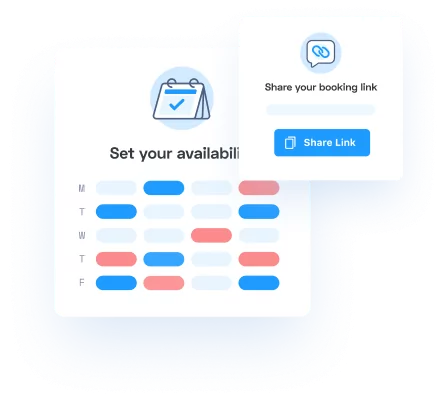
- Start with your availability windows: You set the days you’re open and the time ranges within them, and those are the only times a client ever sees. If you want to stop taking 7 am appointments, you move the window to start at 9, and 7 am quietly disappears from the page. Nobody can request it, because nobody can see it.
- Next, add buffers between appointments: Appointlet’s Meeting Buffers let you build a gap before or after each booking, so the software stops stacking clients nose-to-tail all day. Fifteen minutes after every appointment gives you time to clean your station, write a quick note, refill your water, or just sit down for a second before the next person walks in. The client never sees the buffer. They only see slots that already account for it, so the breathing room is baked in, and you never have to defend it.
- Then put a ceiling on the day: The Maximum Meetings Per Day setting does exactly what it sounds like. You decide that, say, eight appointments make up a full day, and once eight are booked, the page closes that date to new bookings, even if there are technically open hours left.
- Finally, connect your calendar: Appointlet syncs with Google Calendar and Microsoft 365, and the sync runs both directions. Anything already on your personal calendar blocks that time on your booking page automatically. If you add your kid’s 3 pm recital to Google Calendar, the 3 pm slot disappears from your booking page without you even opening the scheduling settings. The same sync prevents double-bookings, so you stop getting that sinking feeling when two people somehow lay claim to the same hour.
None of this requires you to announce anything or explain yourself to anyone. You change the settings once, and from then on, the page protects your time on its own while you’re busy doing the actual work.
How to block time off without losing clients
Setting your weekly hours handles the everyday schedule. Time off is the part that makes people nervous, so here’s how to do that without losing clients.
- For a single day off: the easiest way is to add an all-day event to your synced calendar. Because Appointlet reads your calendar, that day automatically closes on your booking page. There’s no special vacation mode to flip on. If you’d rather not touch your calendar, you can adjust your availability for that date directly and get the same result.
- For a recurring day off: every other Friday, or no more Mondays ever again, you set it once in your availability windows, and it holds. The booking page stops offering those days from then on, and you never have to remember to do it a second time.
- For a longer stretch (a week-long vacation or a holiday closure): the same calendar approach applies. Block the dates on your connected calendar, and the entire span disappears from your booking page at once.
The part that actually quiets the “but what if clients can’t find a time” worry is what a person sees when they land on your page during blocked time. They don’t hit a dead end or an error message. The page simply shows them the next time you’re available. If your next opening is the following Tuesday, that’s the first slot they see, and most people just take it and move on with their day.
You can make that even smoother with a custom welcome message at the top of your scheduling page.
A line like “I’m usually available Tuesday through Thursday. Grab whatever open slot works for you, and I’ll see you then” does a lot of quiet work. It sets expectations before anyone has a chance to get frustrated.
Having your booking page set up this way answers the availability question for you, which means you’re not responding to the “are you around this week?” texts while you’re supposed to be off.
How to communicate time off to existing clients
Your booking page handles strangers and new clients on its own. Your regulars are a little different, and they’re worth a heads-up before you go.
You don’t owe anyone an apology for taking time off. The trick is to tell people plainly and warmly, without letting the guilt seep into the wording. A short text to your regulars a couple of weeks out covers it:
Hey! Quick heads-up that I’ll be out [dates]. If you want to get in before then, here’s my booking link: [link]. Otherwise I’ll be back and booking again starting [date]. See you soon.
That’s the whole message. No over-explaining, no three paragraphs justifying why you’ve earned a break. You’re a person who is occasionally not at work, just like everyone they know.
For a longer absence, you can update the welcome message on your booking page so anyone who lands there gets the picture right away. Here’s a sample message you can use:
I’m out of the studio until [date] and can’t wait to see everyone when I’m back. You can book any appointment from [date] forward right here. Thanks for your patience.
You can also set an email auto-reply for the days you’re gone, pointing people to your booking link for dates after you return. The people emailing you don’t feel ignored, and you don’t feel obligated to answer from a lounge chair with sand on your phone.
You’ll still get a few “any chance you can squeeze me in before you go?” messages. Some you’ll want to say yes to, and that’s your call to make. But you’re also allowed to say, “I’m fully booked before I head out, but I’ve got openings the week I’m back, here’s the link.”
The clients who read that and book the later slot are the ones worth keeping. The ones who get put out that you dared to leave at all were most likely part of why you were so tired to begin with.
Pick one thing
You don’t have to rebuild your entire schedule this afternoon. Pick one setting and change it. You can block off a real lunch break, set a daily booking cap or turn off your Saturday availability and watch what actually happens.
What usually happens is nothing bad. The regulars adjust without much fuss, your work starts to feel a little more human again, and you end up wondering why you waited so long to give yourself the thing you’d have handed any employee without a second thought.
If scheduling is still the thing quietly eating your time, you can try Appointlet free and set your availability up the way it should have been built all along.
And if you’d rather talk it through first, we host office hours every Wednesday at 1:30 PM EST. There’s no agenda or pitch. You can just bring your booking page and your questions, and we’ll figure out what your schedule should look like for the business you actually run now.